 On-device AI transcription · works offline
Turn your voice into text
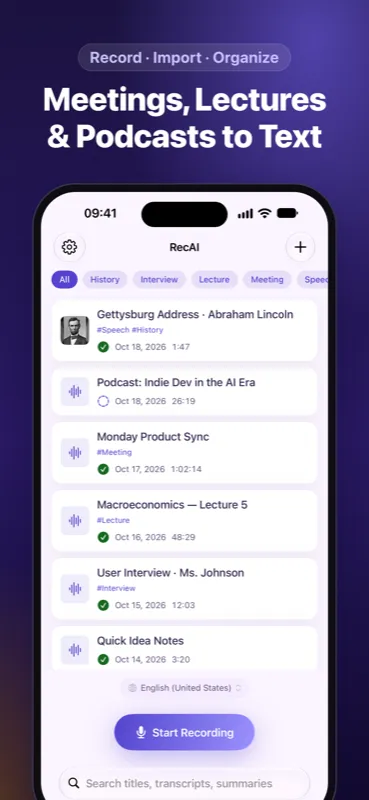
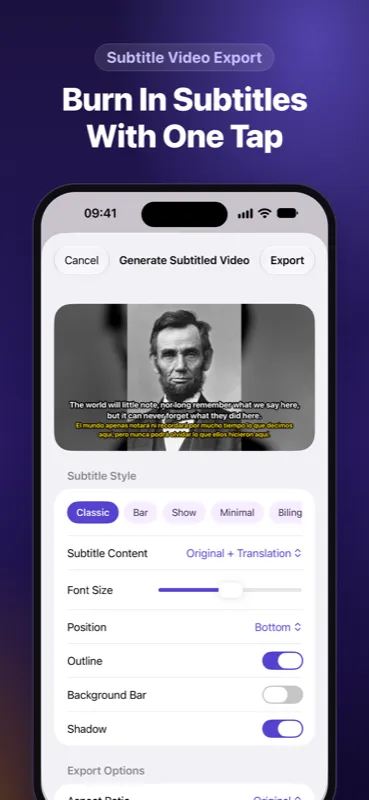
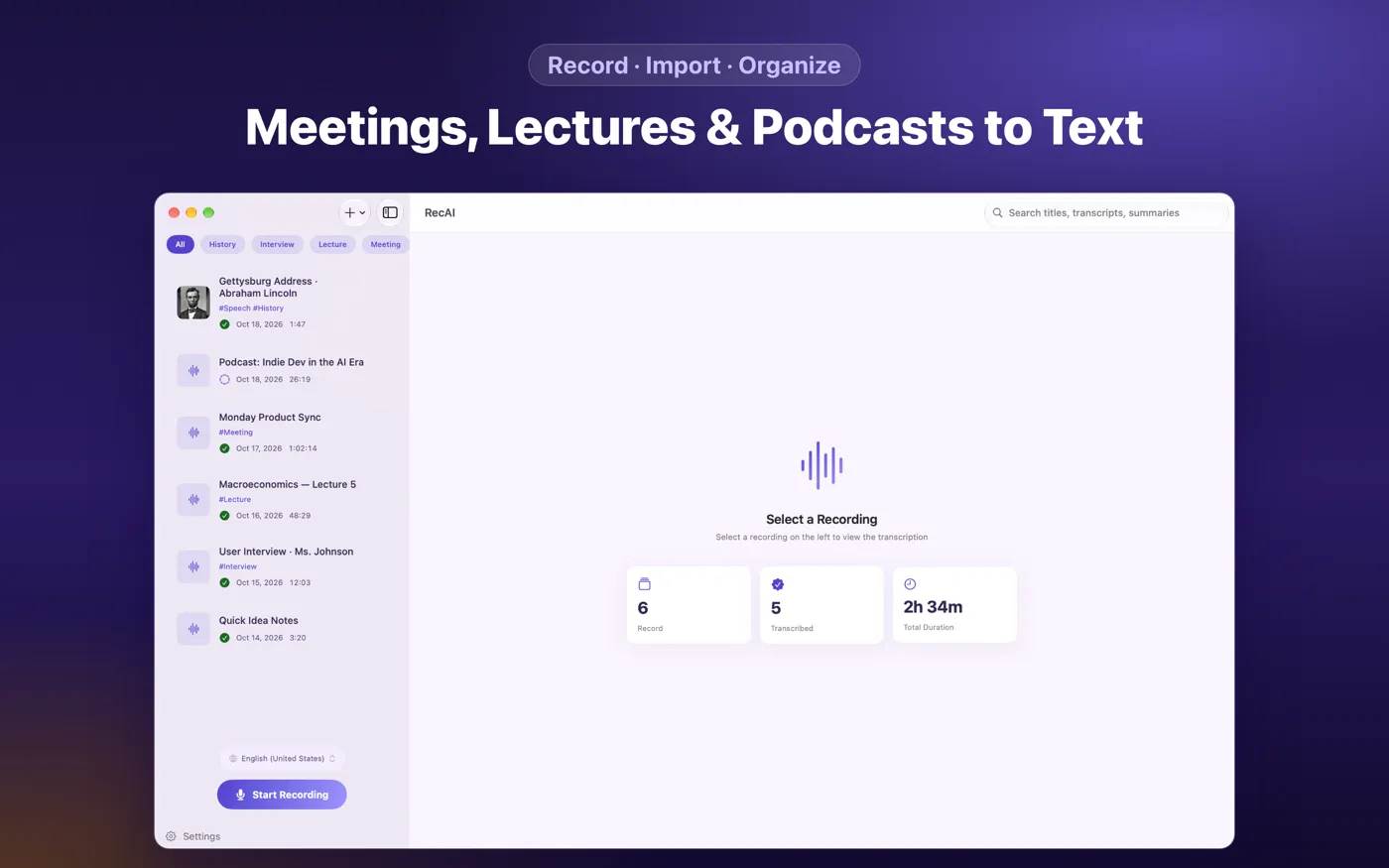
Real-time recording transcription, and import any audio or video to extract subtitles instantly. Choose between local Whisper, SenseVoice, or Apple's native speech engine — great for meeting notes, class notes, and interview transcripts.
What RecAi does
Every step from recording to usable text, already thought through.
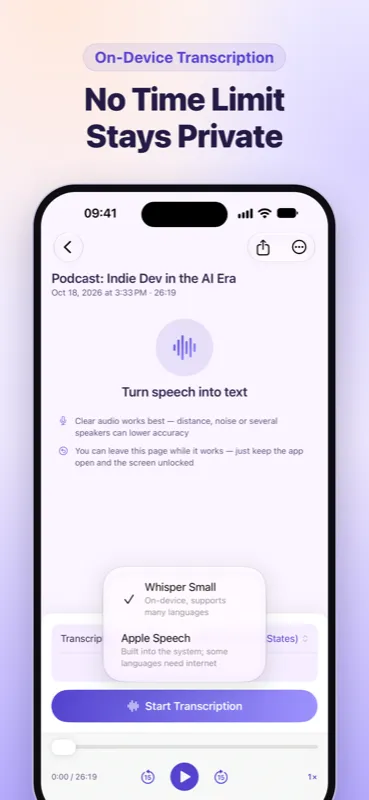
On-device transcription engines
Pick Apple's native speech recognition, local Whisper, or SenseVoice — recognition runs on your device by default.
Import any audio or video
Import common audio and video formats and automatically extract text and subtitles.
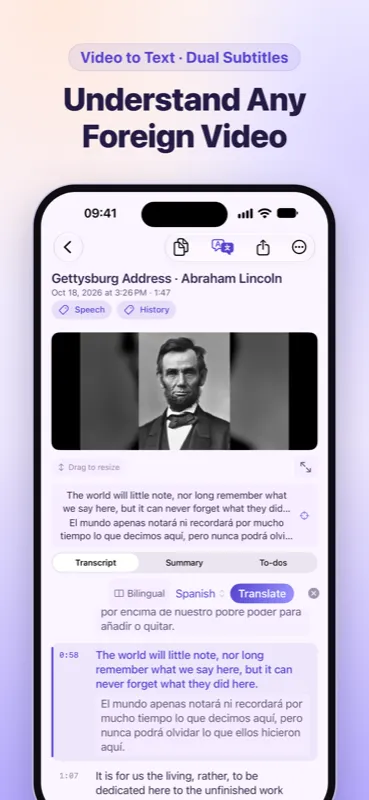
Synced subtitle playback
Text highlights in sync with playback; tap a line to jump to that moment — watch and read at once.
Multilingual translation
Powered by the system translation engine across 30+ languages, also processed on-device.
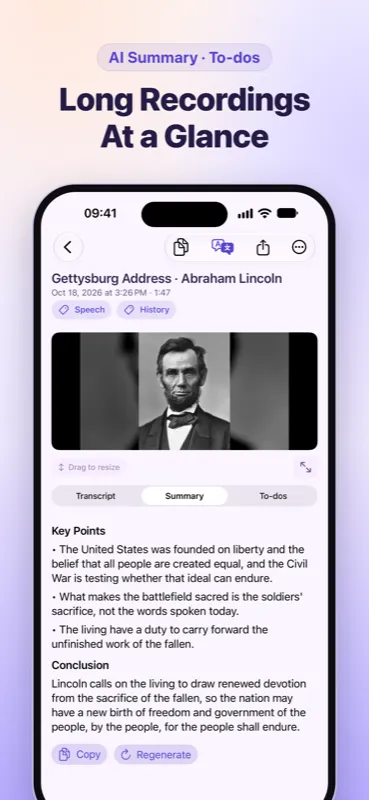
AI summary & to-dos
Optional: connect your own LLM service to generate summaries and to-do lists from long recordings.
Multi-format export
Export to TXT, SRT subtitles and more, ready to share anywhere.
Apple Watch recording
Start recording right from your wrist, automatically synced to iPhone for transcription.
Full-text search & editing
Quickly locate key content, and trim, merge or rename recordings with ease.
Where it fits
Not just recording to text — these scenarios all fit right in.
Meeting notes
Record the call, walk away with a clean transcript and the key points at a glance.
Class notes
Lecture recordings turn into text automatically — no more scrubbing through audio to review.
Interview transcripts
Long interviews get transcribed in minutes, so writing up the piece goes twice as fast.
Podcast & video subtitles
Import audio or video and generate subtitles in one step, ready for editing and publishing.
Language learning
Turn listening material into text with translation, so new words and grammar are easy to spot.
Privacy by design
Recordings are personal — RecAi keeps processing on your device by default.
Processed locally
Speech recognition and translation default to on-device engines, working even offline — your content isn't uploaded by us.
You control the AI features
AI summaries are optional and require your own LLM API key. Content is only sent to the provider you choose, and only once enabled.
Subscriptions handled by Apple
In-app purchases and subscriptions are processed by Apple and RevenueCat; we never see your payment details.
FAQ
Do I need an internet connection to transcribe?
No. Apple's native speech recognition and the built-in local Whisper / SenseVoice models all run on-device, so transcription works even without network access.
Is there a Mac version?
Yes. RecAi is available on iPhone, iPad and Mac — use the same App Store account across your devices.
Which languages are supported?
Native speech recognition and the local models together cover 30+ languages; check the in-app engine list for the exact set, as accuracy varies by engine and language.
How does the AI summary feature work?
It's optional — you enter your own LLM API key in Settings (e.g. OpenAI, DeepSeek). Once enabled, your transcript text is sent only to the provider you selected to generate a summary. See the privacy policy for details.
Is it free?
Basic recording and transcription are free. More advanced features are unlocked via subscription, which you can manage or cancel anytime from the App Store.
How do I report an issue?
Please reach out via the support page and we'll follow up.